
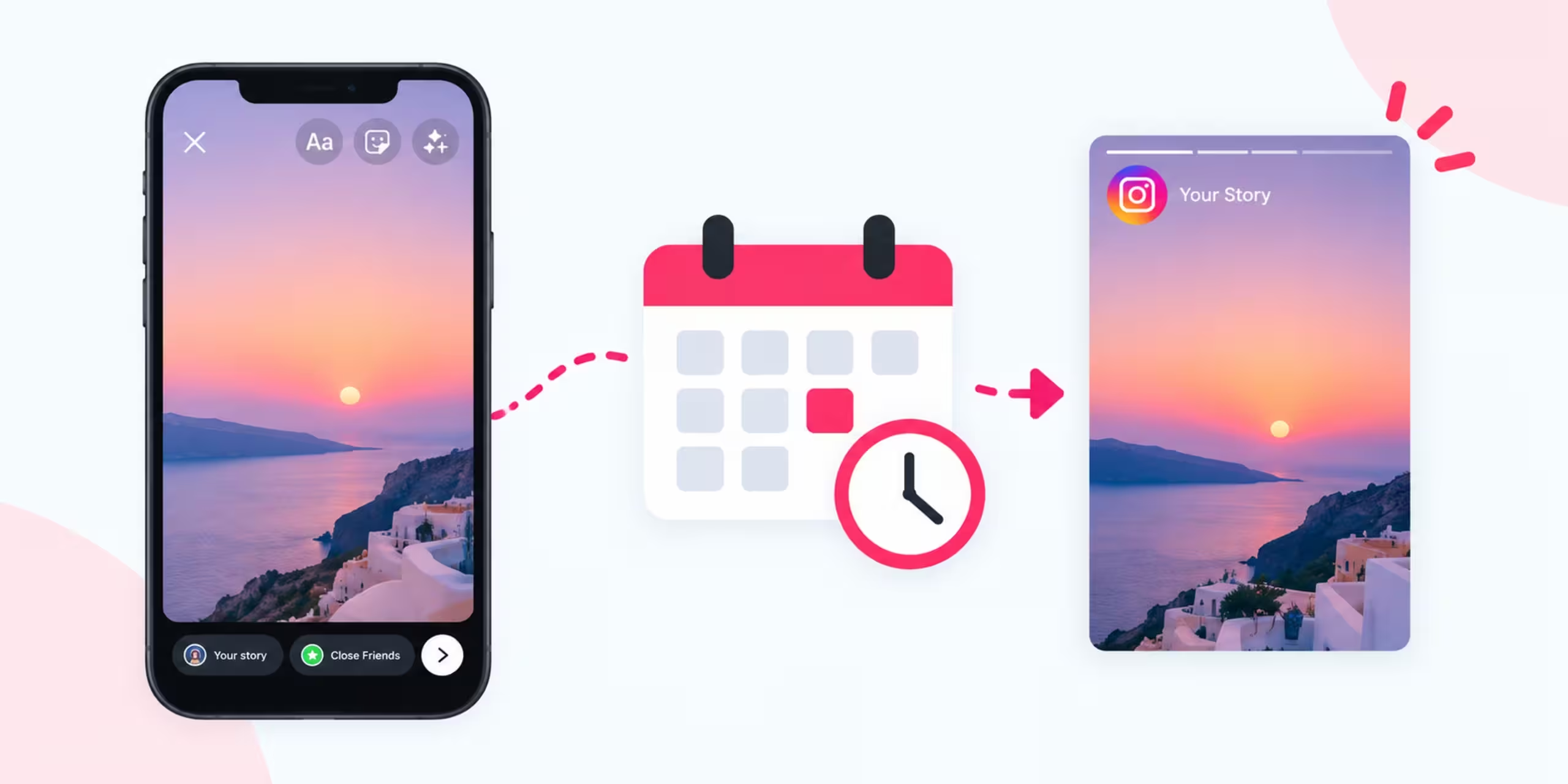
Instagram Stories are a simple way to share updates, tips, promotions, product information, and behind-the-scenes content. The problem is that publishing Stories manually every day can take time, especially when you manage an account for a business, blog, or personal brand.
Scheduling solves part of that problem.
Instead of waiting until the exact moment you want a Story to appear, you can prepare content ahead of time and schedule it for later using supported Meta publishing tools.
In this guide, you’ll learn how to schedule Instagram Stories, how to plan several Stories in advance, how to use Meta Business Suite, what content works well with scheduling, and which mistakes to avoid.
What Does Scheduling an Instagram Story Mean?
Scheduling an Instagram Story means preparing the content before its publishing time and selecting a future date and time for it to be published.
For example, you might prepare three Stories in the morning:
- A quick tip for 10 AM
- A product update for 2 PM
- A promotional Story for 7 PM
Instead of manually publishing each one, you can schedule them ahead of time when your account and publishing tool support the feature.
This can make your Instagram workflow more organized.
However, scheduling does not mean you have to automate everything. You should still review your content and stay available to interact with your audience.
Can You Schedule Instagram Stories?
Yes, Instagram Stories can be scheduled through supported Meta publishing tools for eligible accounts.
Meta Business Suite is particularly useful for businesses and creators who want to organize Instagram content ahead of time.
The exact scheduling options can change as Meta updates its products. Your account type, connected accounts, and the type of content you are publishing can also affect which options appear.
If you do not see a Story scheduling option, check the publishing tools currently available for your account.
Why Schedule Instagram Stories?
Scheduling can make your daily Instagram routine easier.
Save time
You can prepare several Stories during one session instead of stopping what you’re doing every few hours.
Keep content organized
A schedule lets you see what you plan to publish and when it will go live.
Reduce last-minute publishing
You don’t have to create every Story immediately before you want your audience to see it.
Plan campaigns
Businesses can prepare Stories around product launches, promotions, events, or seasonal campaigns.
Maintain consistency
Having content prepared in advance makes it easier to follow a regular publishing routine.
Work around your schedule
If you’re busy during a particular part of the day, scheduled publishing can handle the timing for you.
What Do You Need Before Scheduling Instagram Stories?
Before creating a schedule, make sure you have the necessary access.
You may need:
- An eligible Instagram account
- Access to Meta’s publishing tools
- The correct Instagram account connected
- Your Story images or videos
- A content plan
- Your preferred publishing dates and times
You should also check the current features available in your account because Meta regularly changes its tools.
How to Schedule Instagram Stories With Meta Business Suite
Meta Business Suite provides tools for managing content across Meta platforms.
The interface may change, but the basic process follows a similar pattern.
Step 1: Open Meta Business Suite
Sign in to Meta Business Suite using the account that manages your Instagram presence.
If you manage multiple accounts, make sure you select the correct business and Instagram account.
Step 2: Open the Publishing Area
Find the section used for creating or planning content.
Depending on the current interface, you may see options such as Planner, Content, or a similar publishing section.
Step 3: Start Creating a Story
Select the option to create new content and choose Instagram as the destination.
If Story publishing is available for your account, select the Story format.
Step 4: Add Your Media
Upload the image or video you want to use.
Check the preview carefully.
Make sure text, logos, and other important elements are positioned where they can be easily seen on a phone screen.
Step 5: Prepare the Story
Add the available text or other elements required for your content.
Keep the message short and easy to understand because Stories are designed for quick viewing.
Step 6: Choose a Future Publishing Time
Look for the scheduling option rather than choosing immediate publication.
Select the date and time when you want the Story to appear.
Step 7: Check Everything
Before confirming, review:
- Instagram account
- Media
- Text
- Date
- Time
- Campaign details
A few seconds of checking can prevent an incorrectly scheduled Story.
Step 8: Confirm the Schedule
Once everything looks correct, confirm the scheduled publication.
Your Story should appear in your planned content area so you can manage it later.
How to Schedule Several Instagram Stories
Scheduling becomes more useful when you have multiple Stories ready.
Instead of creating one Story at a time, prepare a sequence.
For example:
9 AM: Morning tip
12 PM: Educational fact
3 PM: Product information
6 PM: Question for followers
8 PM: Blog or promotion
You do not need to copy this schedule. Your publishing times should be based on your audience and content.
Also, avoid scheduling several unrelated Stories simply to fill the day. A connected sequence is usually easier for followers to understand.
How to Plan Instagram Stories With a Content Calendar
A content calendar can make Story scheduling much easier.
You can create one in Google Sheets, Excel, Notion, or another planning application.
For example:
| Date | Time | Topic | Format | Status |
| Monday | 10 AM | AI tip | Graphic | Scheduled |
| Monday | 3 PM | Tool tutorial | Video | Ready |
| Tuesday | 12 PM | Question | Interactive | Draft |
| Wednesday | 7 PM | Blog promotion | Graphic | Scheduled |
You can add additional columns for:
- Caption
- CTA
- Campaign
- Media file
- Target audience
- Link
- Notes
A simple workflow could be:
Idea → Draft → Design → Review → Scheduled → Published
This makes it easier to manage a growing content library.
What Should You Schedule on Instagram Stories?
Not every Story needs to be planned weeks ahead.
Scheduled content works particularly well for predictable topics.
Educational tips
Share a short lesson or useful fact related to your niche.
Tutorials
Break a process into several short Story slides.
Product information
Explain a feature, use case, or benefit.
Blog content
Turn an article into a short Story sequence that encourages interested followers to read more.
Announcements
Schedule planned launches, events, or updates.
Frequently asked questions
Answer questions your audience asks regularly.
Behind-the-scenes content
Prepare selected behind-the-scenes material when you already know what you want to show.
Promotions
Prepare promotional content ahead of a planned campaign.
How to Schedule Instagram Stories for a Week
You can create a simple weekly system without planning every minute of your day.
Monday: Helpful tip
Share something useful related to your niche.
Tuesday: Audience interaction
Ask followers a question or use an available interactive format.
Wednesday: Educational content
Explain one concept or share a quick tutorial.
Thursday: Product or service
Show a useful feature, example, or use case.
Friday: Community content
Share a customer question, feedback, or discussion.
Weekend: Flexible content
Use lighter or more spontaneous content.
This is only an example. Your actual schedule should match your audience and the amount of content you can produce consistently.
How Far Ahead Should You Schedule Instagram Stories?
You don’t have to schedule every Story far in advance.
Evergreen content can often be prepared earlier because the information remains relevant.
Time-sensitive content needs more attention.
For example, a Story explaining how to use an AI tool might remain useful for weeks or months.
A Story about a limited-time discount should be checked shortly before publication.
A good system leaves room to make changes when circumstances change.
How to Find the Best Time to Schedule Instagram Stories
There is no single posting time that works for every Instagram account.
Your audience may be located in different countries or have different daily routines.
Factors that can affect when people view Stories include:
- Time zone
- Location
- Age
- Occupation
- Industry
- Audience habits
- Content type
Use your account’s available analytics to understand when your followers are active.
You can also test different time periods.
For example, compare morning, afternoon, and evening publishing over several weeks.
Do not judge a time slot based on a single Story.
Can You Schedule Instagram Stories From the Instagram App?
The scheduling options available directly inside Instagram can vary by account and by feature.
If you don’t see the option in your Instagram app, Meta Business Suite may provide another way to manage supported content.
Because Instagram’s interface changes regularly, the exact buttons shown in older tutorials may not match your current app.
Always check the current options available to your account.
How to Schedule Instagram Stories for a Business
Businesses can use scheduled Stories to organize recurring content.
For example, a small online business could use a weekly structure:
Monday: Helpful customer tip
Tuesday: Product feature
Wednesday: FAQ
Thursday: Demonstration
Friday: Promotion
Saturday: Behind the scenes
Sunday: Weekly recap
You don’t need to follow this exact pattern.
The important part is having a repeatable system that makes content planning easier.
How to Schedule Instagram Stories for a Blog
Bloggers can turn one article into several Stories.
Suppose you publish an article about AI productivity tools.
You could create:
Story 1: Introduce the problem
Story 2: Share one useful tip
Story 3: Explain another idea
Story 4: Show a practical example
Story 5: Direct interested readers to the full article
This allows one piece of long-form content to support several social media posts.
For a technology blog such as Tekaihub, this approach can work well for articles about ChatGPT, Gemini, Instagram, AI tools, and beginner guides.
How AI Can Help You Prepare Instagram Stories
AI can help with the preparation stage of your workflow.
You can use it to generate:
- Story topics
- Short scripts
- Hooks
- Question ideas
- Poll concepts
- Educational sequences
- Caption drafts
- Weekly calendars
For example:
Create 10 Instagram Story ideas for a technology blog that publishes beginner-friendly AI tutorials. Give each idea a hook and suggested format.
You can then select the ideas that fit your audience.
AI should assist with content preparation, not replace your review process. Check the information, wording, and tone before publishing.
Useful AI Prompts for Instagram Stories
Create Story ideas
Give me 20 Instagram Story ideas for a beginner-focused technology account.
Build a Story sequence
Create a five-part Instagram Story explaining how beginners can use AI for research. Keep each part short.
Create engagement ideas
Give me 10 questions I can ask my Instagram audience about their use of AI tools.
Promote a blog post
Turn this blog post into a four-part Instagram Story sequence that encourages people to read the complete article.
Create a weekly plan
Build a seven-day Instagram Story calendar for an AI tools blog. Give me two Story ideas per day.
Create educational content
Turn these five points into short Instagram Story slides. Use simple language and one main idea per slide.
How to Make Scheduled Stories Feel Natural
A scheduled Story does not have to look like automated content.
Mix different types of Stories throughout your schedule.
For example:
Tip → Question → Tutorial → Behind the scenes → Product → Community content
Avoid using the exact same format every day.
You should also review scheduled content when something significant happens. A Story that made sense when you created it may no longer be appropriate when it is about to publish.
Common Problems When Scheduling Instagram Stories
The scheduling option isn’t available
Your account may not support the relevant feature, or the particular type of content may not be eligible.
Check your account and current Meta publishing options.
The wrong Instagram account is connected
If you manage multiple accounts, verify the destination before scheduling.
Important content gets cut off
Check the Story preview and keep important text away from areas where Instagram’s interface may overlap.
A scheduled Story becomes outdated
This can happen with promotions, prices, news, dates, and temporary announcements.
Review upcoming Stories regularly.
The content doesn’t look right
Always preview your media before scheduling it. Check the image quality, text placement, and overall appearance.
Should You Schedule Every Instagram Story?
No.
Scheduling is useful for content you already know you want to publish.
Real-time Stories can still be valuable for:
- Events
- Breaking updates
- Customer interactions
- Behind-the-scenes moments
- Unexpected announcements
- Current conversations
A mixture of planned and spontaneous content can make your account more flexible.
Scheduled Stories vs Manual Stories
Both approaches have advantages.
Scheduled Stories are useful for:
- Planned campaigns
- Blog promotion
- Educational series
- Product announcements
- Recurring content
- Evergreen topics
Manual Stories are useful for:
- Live events
- Current situations
- Spontaneous updates
- Real-time conversations
- Time-sensitive content
You don’t have to choose one approach.
Use scheduling where it saves time and manual posting where being present in the moment matters.
Best Practices for Scheduling Instagram Stories
Create content in batches
Prepare several Stories during one session.
Keep a content calendar
Know what you plan to publish before you start scheduling.
Check every Story
Review the media, wording, date, time, and account.
Leave some empty space
Don’t schedule every possible Story slot. Keep room for spontaneous content.
Test different times
Use your own analytics instead of relying entirely on generic posting-time advice.
Mix content types
Balance educational, promotional, interactive, and community content.
Update your schedule
Remove or edit content that has become outdated.
Stay active
Scheduling handles publishing, but your audience still needs human interaction.
Frequently Asked Questions
Can you schedule Instagram Stories?
Yes. Supported Meta publishing tools allow eligible accounts to schedule Instagram Stories when the relevant feature is available.
What is the easiest way to schedule Instagram Stories?
Meta Business Suite is one option for planning and scheduling supported Instagram content. The exact features depend on your account and current Meta setup.
Can I schedule multiple Instagram Stories?
Yes, you can prepare multiple Stories and assign them different publishing times when your account supports the scheduling workflow.
Can I use Meta Business Suite to schedule Instagram Stories?
Meta Business Suite provides publishing and planning features for connected Meta accounts. The available Story scheduling options can depend on your account and the current version of the platform.
Can I schedule Instagram Stories directly from Instagram?
The options available inside the Instagram app vary by account and feature. If you don’t see Story scheduling there, check the publishing options available through Meta Business Suite.
How far in advance can I schedule Instagram Stories?
The available scheduling window depends on the publishing tool and account. Check the current scheduling interface rather than relying on an older fixed limit.
Can I schedule Instagram Stories from a personal account?
Availability depends on your account type and the particular publishing feature. Professional accounts generally have access to more business-oriented publishing capabilities.
Does scheduling reduce Instagram Story views?
Scheduling itself does not guarantee a particular number of views. Story performance depends on content, audience behavior, timing, engagement, and other factors.
Should I schedule all my Stories?
No. Planned content is suitable for scheduling, but spontaneous and real-time Stories can also add value.
Can AI create Instagram Stories?
AI can help generate Story concepts, scripts, hooks, and content plans. You should review the output before publishing.
Final Thoughts
Learning how to schedule Instagram Stories can make your content routine easier to manage.
Instead of creating every Story at the last minute, you can prepare content ahead of time and organize it around a simple publishing calendar.
Meta’s publishing tools can handle scheduled content when the relevant feature is available to your account. You can then spend more time creating useful content, responding to followers, and reviewing your results.
Start small. Prepare a few Stories, test different publishing times, look at your analytics, and adjust your schedule as you learn what works for your audience.
The goal is not to automate every part of Instagram. The goal is to remove repetitive publishing work while keeping your content useful, timely, and authentic.